On this page (6)
Download Raseedo version 1.0.1
Version 1.0.1. In WordPress, open Plugins then
- Version
- 1.0.1
- WordPress
- 6.5 or later
- PHP
- 8.1 or later
- WooCommerce
- 10.0 or later
- Licence
- GPLv2 or later
- File size
- 103 KB
- SHA-256
9a83334ce30709eb
Raseedo Saudi E-Invoicing for WooCommerce is a free WordPress plugin licensed under GPLv2 or later. Version 1.0.1 was released on 1 November 2026.
The ZIP contains the free plugin. It provides simplified tax invoices for paid WooCommerce orders, signed XML documents, QR codes, ZATCA reporting, credit notes for refunds and bilingual customer invoice pages.
The free plugin can be used without purchasing Pro. Pro is a separate add-on that requires the free plugin.
Check the requirements
WordPress
Your store needs WordPress 6.5 or later. Raseedo has been tested up to WordPress 7.1.
PHP
Your server must run PHP 8.1 or later.
WooCommerce
WooCommerce 10.0 or later must be installed and active. Raseedo has been tested up to WooCommerce 11.2.
Licence and version
The free plugin uses GPLv2 or later. The current release is version 1.0.1, dated 1 November 2026.
Install the free plugin
Save the ZIP file
Use the download button above to get Raseedo version 1.0.1. Keep the ZIP file on the computer used to manage your WordPress site.
Open your WordPress admin
Sign in as an administrator and open Plugins then
Add New Plugin then Upload Plugin. Upload and install
Choose the Raseedo ZIP file and select Install Now. When installation finishes, activate the plugin.
Open the Raseedo settings
Go to WooCommerce then
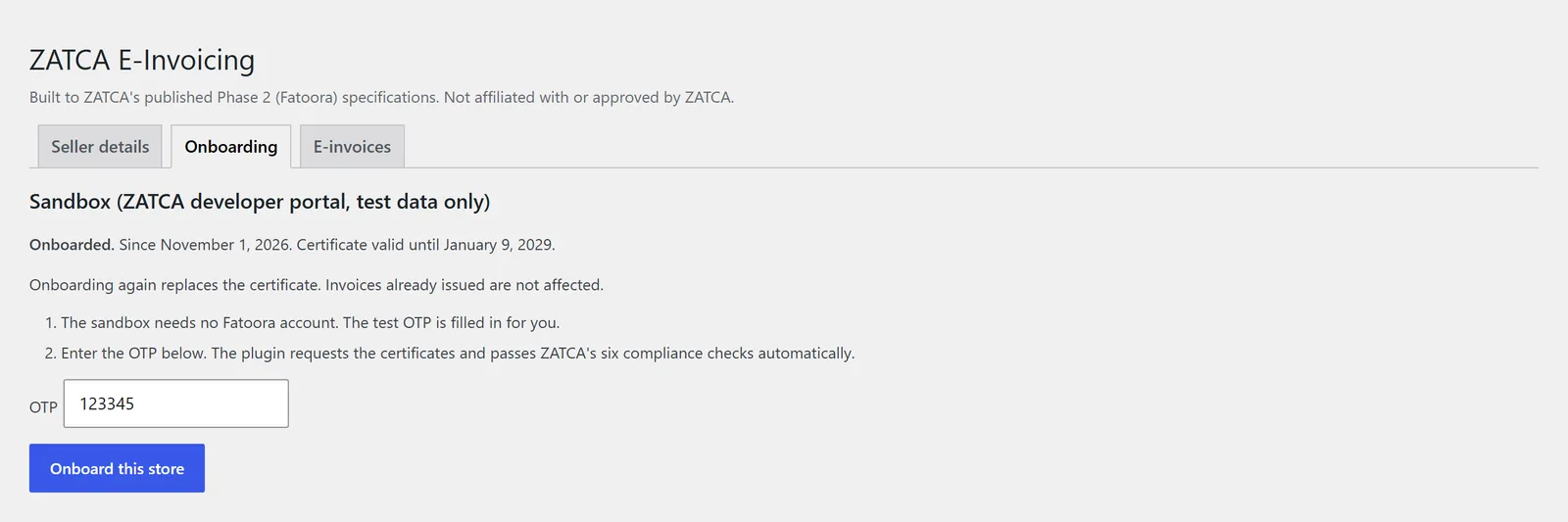
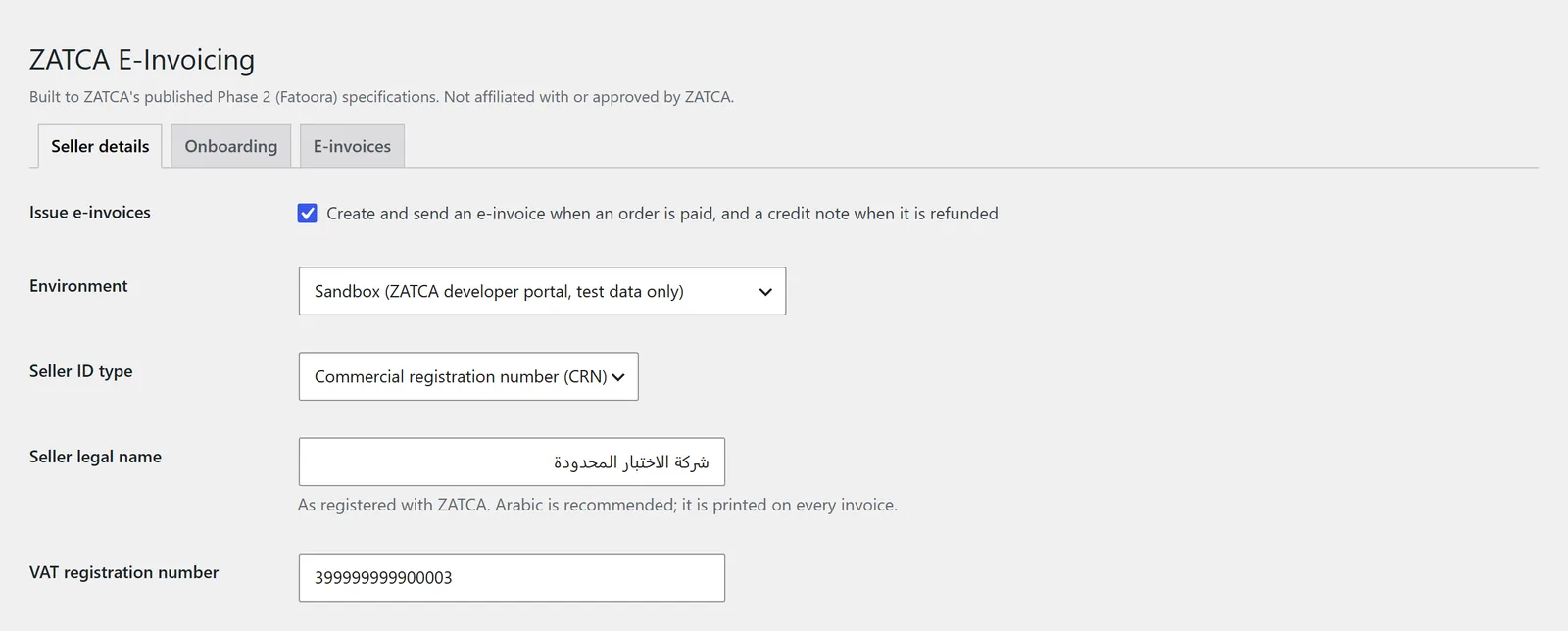
ZATCA E-Invoicing. The plugin has Seller details, Onboarding and E-invoices tabs. Follow the setup guide
The Raseedo setup guide covers the required seller details and a sandbox test. Complete Fatoora onboarding before you issue live invoices.
What happens after installation
Installation alone does not issue or send invoices. Raseedo starts in the developer-portal sandbox, which uses test data and does not require a Fatoora account.
You must complete all 11 required seller fields before onboarding. In the sandbox, Raseedo fills in the test OTP. For Simulation, you obtain a six-digit OTP from the Fatoora Simulation portal; for Production, from the Fatoora portal.
After onboarding, turn on Issue e-invoices. The plugin then creates signed simplified tax invoices for eligible paid orders in SAR and reports them to ZATCA in the background. Orders in other currencies are skipped with an order note and Site Health warning.
Raseedo connects only to ZATCA's Fatoora API and does not send documents until you have onboarded and enabled invoicing.
Connect the store to Fatoora
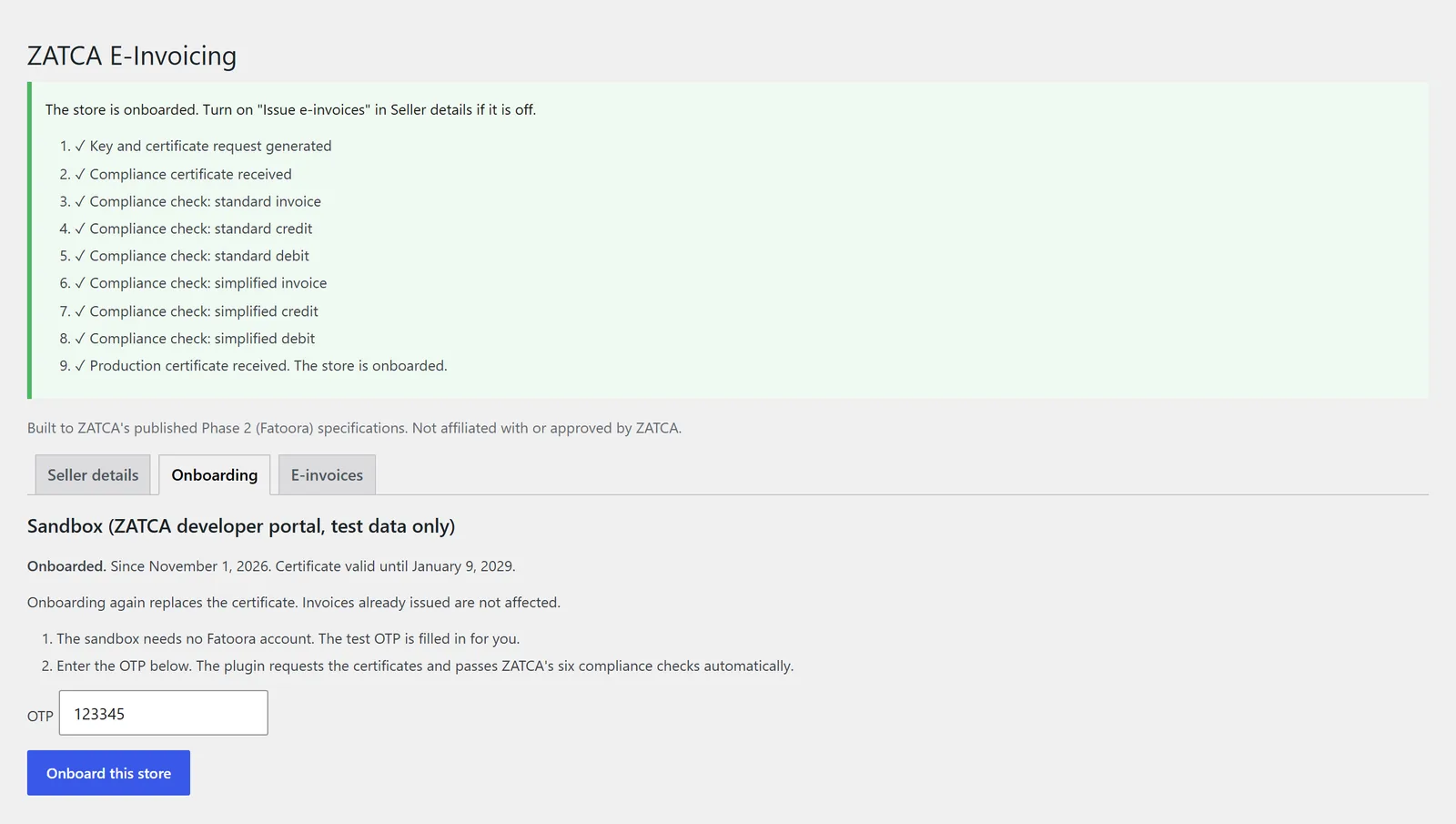
After completing Seller details, open Onboarding. Raseedo creates the key and certificate request and completes six ZATCA compliance checks. It then obtains the certificate for the selected environment.
What the free version provides
Signed simplified invoices
Create UBL 2.1 XML invoices with cryptographic signatures and QR codes for eligible paid orders.
Background reporting
Report simplified invoices to ZATCA through Action Scheduler, with retries for connection failures and outages.
Credit notes
Issue credit notes on WooCommerce refunds, including partial refunds, with references to original invoices.
Bilingual customer pages
Give customers Arabic and English invoice pages with QR codes, linked from their orders and order emails.
Local document records
Store signed XML, ZATCA statuses and validation messages on your own WordPress site.
Site Health warnings
Check for e-invoicing enabled before onboarding, certificates approaching expiry, documents waiting too long and orders in currencies other than SAR.
Raseedo has been tested against ZATCA's developer-portal sandbox for onboarding and reporting. It is independently developed and is not endorsed or approved by ZATCA.
The full feature list covers each feature in detail, and the changelog lists what changed in each release.
Pro and Agency options
Pro requires the free plugin and adds standard tax invoice clearance for business buyers, missing-document reports, bulk retries and CSV or signed XML ZIP exports.
Pro costs $29 per month or $249 per year for one store. Agency costs $99 per month and covers five client stores.
Paid checkout is not open yet. You can request Pro or Agency using the form on the pricing page, or email sales@raseedo.com about either plan.
Before the February 2027 deadline, founding stores can receive setup help on a call and Pro free for 12 months. Contact sales@raseedo.com to apply, or use the contact page to send a question.